The 6 Best Ergonomic Keyboards on Amazon in 2026
As an Amazon Associate we may earn from qualifying purchases. Our picks are independently researched, written by TwelveTabs AI and never sponsored.
The top picks
- A full-size split keyboard that plugs in: Perixx PERIBOARD-512B Split Ergonomic Keyboard
- Mechanical switches in a split design: Cloud Nine C989M Ergonomic Mechanical Keyboard
- A wireless split keyboard for several devices: Logitech Ergo K860 Wireless Split Keyboard
- A gentle first step into ergonomic typing: Logitech Wave Keys Wireless Ergonomic Keyboard
- A matching keyboard and mouse in one box: Ergonomic Wave Keys Wireless Keyboard and Mouse Combo
- A rechargeable wireless split: Arteck Split Ergonomic Keyboard with Palm Rest
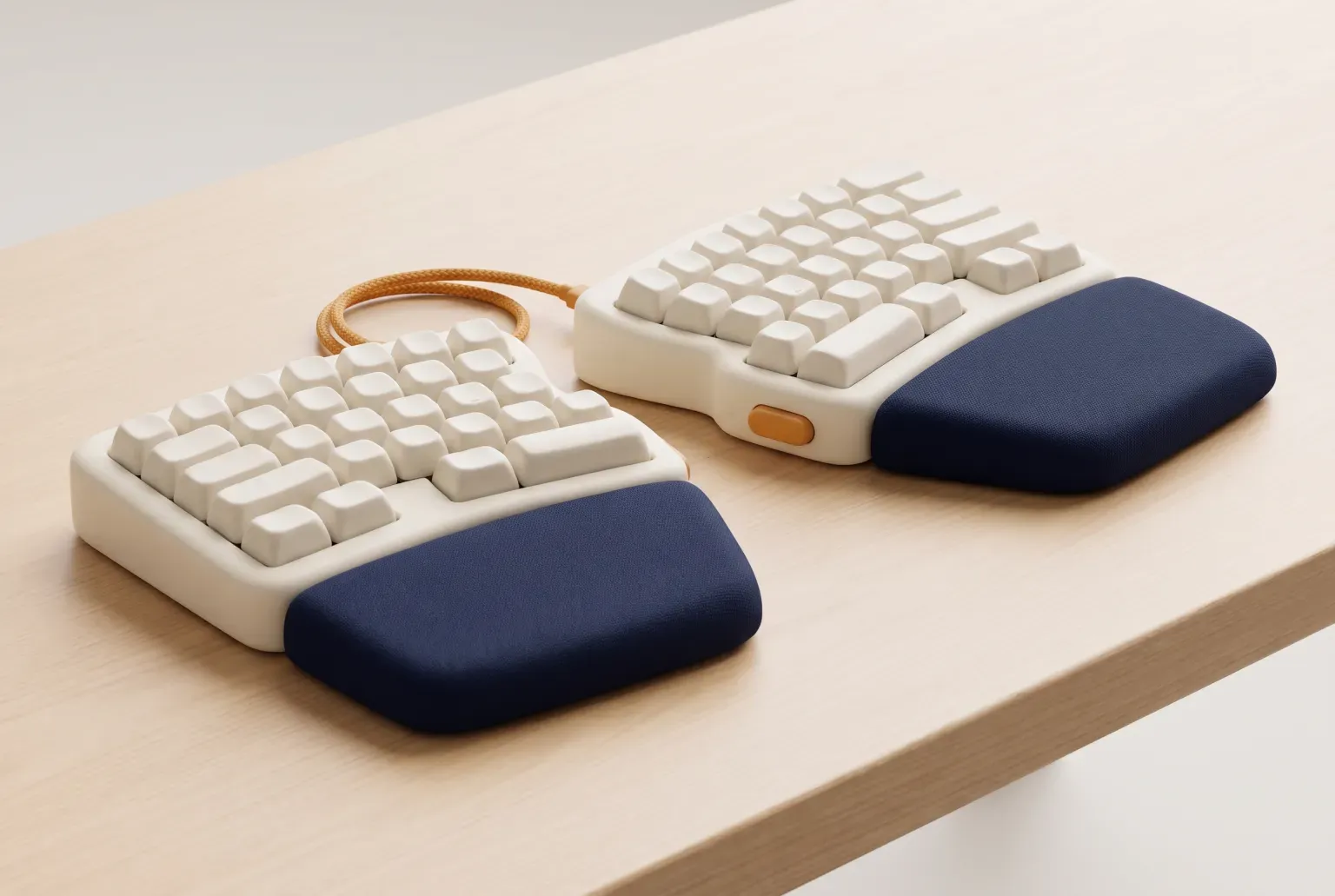
Our top pick for most people is the Perixx PERIBOARD-512B. It won the main TwelveTabs search we ran for this guide, “best ergonomic keyboard”, out of 27 Amazon listings. It is a full-size split keyboard with a built-in wrist rest, and it plugs in with a cable, so it suits anyone at one desk who never wants to charge or pair a keyboard again.
Want mechanical switches? The Cloud Nine C989M won our mechanical search. For a wireless split that works with several devices, look at the Logitech Ergo K860. If a full split feels like too big a jump, the Logitech Wave Keys is a gentler start. The Wave Keys keyboard and mouse combo won our wireless search and comes with a matching mouse. And the Arteck split keyboard is a rechargeable wireless split. Setting up a desk? See our pencil sharpener guide.
Looking for a regular keyboard to type on? Our keyboards for typing guide compares a wireless low-profile board, wired and wireless full-size boards, and a large-print one.
Working on a laptop? Our laptop stands guide compares five desk stands, from a fixed riser to a sit-stand stand.
How this pick was made
Perixx PERIBOARD-512B Split Ergonomic Keyboard is the top pick. This is the work behind that choice.
- 75Amazon search results read, across 3 searches
- 10finalist pages read in full
- 68shopper reviews read
- 1expert source cross-checked: Popular Mechanics
Run on September 25, 2026. AI read the listings and what shoppers say, then wrote this guide. Full method and limits
Our picks in detail

Perixx PERIBOARD-512B Split Ergonomic Keyboard
Best for: A full-size split keyboard that plugs in
- $49.99
- 4.4 (9,599 reviews)
- 1K+ bought last month
- ★ Amazon's Choice
- Prime
- Pros Full-size split layout with wrist rest
- Cons Membrane keys, not mechanical
Prices and ratings as of September 25, 2026.
Pros and cons

Cloud Nine C989M Ergonomic Mechanical Keyboard
Best for: Mechanical switches in a split design
- $199.00
- 4.3 (682 reviews)
- Prime
- Pros Kailh tactile brown switches
- Cons Listed for PC
Prices and ratings as of September 25, 2026.
Pros and cons

Logitech Ergo K860 Wireless Split Keyboard
Best for: A wireless split keyboard for several devices
- $149.99
- 4.4 (8,056 reviews)
- 4K+ bought last month
- ★ Amazon's Choice
- Pros Curved split keyframe
- Cons Scissor switches, not mechanical
Prices and ratings as of September 25, 2026.
Pros and cons

Logitech Wave Keys Wireless Ergonomic Keyboard
Best for: A gentle first step into ergonomic typing
- $59.99
- 4.2 (3,054 reviews)
- 3K+ bought last month
- Pros Compact wave layout
- Cons One piece, less separation than a split
Prices and ratings as of September 25, 2026.
Pros and cons

Ergonomic Wave Keys Wireless Keyboard and Mouse Combo
Best for: A matching keyboard and mouse in one box
- $34.97
- 4.2 (2,458 reviews)
- 4K+ bought last month
- Pros Wave-style keyboard and a matching mouse
- Cons Wave layout, not a split
Prices and ratings as of September 25, 2026.
Pros and cons

Arteck Split Ergonomic Keyboard with Palm Rest
Best for: A rechargeable wireless split
- $54.99
- 4.3 (1,685 reviews)
- 1K+ bought last month
- Pros True split keyset
- Cons Uses a USB receiver
Prices and ratings as of September 25, 2026.
Pros and cons
Expert picks
Logitech Wave Keys Wireless Ergonomic Keyboard
Wirecutter's top pick, shown next to ours so you can compare. Our picks may differ from the experts'.
- $59.99
- 4.2 (3,054 reviews)
- 3K+ bought last month
Compare the picks
Prices and ratings as of September 25, 2026. They change often, so check today's price on Amazon.
| Picture | Product | Outcome | |||||
|---|---|---|---|---|---|---|---|
| 1 |  | Perixx PERIBOARD-512B Split Ergonomic KeyboardShape: Split, wrist rest · Connection: Wired | Price $49.99 | 1K+ bought last month | Rating 4.4 | 9,599 reviews | Winner. Best for: A full-size split keyboard that plugs in |
| 2 |  | Cloud Nine C989M Ergonomic Mechanical KeyboardShape: Split, mechanical · Connection: Wired | Price $199.00 | Not listed | Rating 4.3 | 682 reviews | Best for: Mechanical switches in a split design |
| 3 |  | Logitech Ergo K860 Wireless Split KeyboardShape: Curved split · Connection: Wireless | Price $149.99 | 4K+ bought last month | Rating 4.4 | 8,056 reviews | Best for: A wireless split keyboard for several devices |
| 4 |  | Logitech Wave Keys Wireless Ergonomic KeyboardShape: Wave · Connection: Wireless | Price $59.99 | 3K+ bought last month | Rating 4.2 | 3,054 reviews | Best for: A gentle first step into ergonomic typing |
| 5 |  | Ergonomic Wave Keys Wireless Keyboard and Mouse ComboShape: Wave, with mouse · Connection: Wireless | Price $34.97 | 4K+ bought last month | Rating 4.2 | 2,458 reviews | Best for: A matching keyboard and mouse in one box |
| 6 |  | Arteck Split Ergonomic Keyboard with Palm RestShape: Split · Connection: Wireless, rechargeable | Price $54.99 | 1K+ bought last month | Rating 4.3 | 1,685 reviews | Best for: A rechargeable wireless split |
| Logitech Wave Keys Wireless Ergonomic Keyboard | Price $59.99 | 3K+ bought last month | Rating 4.2 | 3,054 reviews | Wirecutter's top pick |
How to choose an ergonomic keyboard
Start with the shape, then decide on the keys and the connection. These four things matter most.
- Split, curved or wave. A split keyboard separates the two halves so your hands sit wider apart. A wave keyboard keeps one piece but curves the keys into a gentle hump. Popular Mechanics suggests trying a more approachable wave design before committing to a full split. Its writer started on the Logitech Wave Keys, one of our picks.
- Tilt and tenting. Popular Mechanics found that a split keyboard with tenting risers let its writer find the most natural hand position, keeping the wrists in line with the forearms and the elbows near 90 degrees. Check whether a keyboard has feet or risers before you buy.
- Key type. Mechanical switches have more travel and a clear bump or click. Membrane and scissor keys are quieter and flatter. Only one of our picks is mechanical.
- Wired or wireless. A wired keyboard never needs charging. A wireless one clears your desk, and some switch between a computer, a tablet and a phone with one button.
Give yourself time. Popular Mechanics says not to expect to type at full speed right away, and suggests using a new ergonomic keyboard for about 30 minutes a day at first. It also warns that your first split may not be your best split.
What we left out, and why
Our three searches returned 75 listings. TwelveTabs shortlisted 30 of them, read the listing pages of 9 finalists, and named a winner and its runners-up in each search. We kept six and left out one:
- The Logitech MX Mechanical, a runner-up in our mechanical search. It has good mechanical keys, but a standard straight layout rather than an ergonomic split shape.
Wirecutter’s top pick, the Logitech Wave Keys, is in the comparison table so you can see it next to ours. It is also our pick 4: it was a runner-up in two of our three searches.
How we researched
On September 25, 2026 we ran three live TwelveTabs searches of Amazon: “best ergonomic keyboard”, “best ergonomic mechanical keyboard” and “best wireless ergonomic keyboard”. Together they returned 75 listings. TwelveTabs shortlisted 10 from each search, read the listing pages of 9 finalists and named a winner and two or three runners-up in each. We kept six that each suit a different need, and left out one with a straight layout. AI wrote this guide from that research.
Listings change: we read them on September 25, 2026, and a model, seller or stock may differ today.
Prices, ratings and review counts come from Amazon and were read on September 25, 2026.
Sources
- Popular Mechanics: Tips for Adjusting to an Ergonomic Keyboard, read September 25, 2026
- Wirecutter's top pick
Frequently asked questions
Is a split keyboard better than a wave keyboard?
It depends on how far you want to go. A split separates your hands more. A wave keeps one piece with a gentle curve. Popular Mechanics suggests trying a wave design like the Logitech Wave Keys before a full split.
How long does it take to get used to an ergonomic keyboard?
It varies. Popular Mechanics says not to expect full speed right away and suggests about 30 minutes a day at first, while you practise your typing form.
Are there ergonomic mechanical keyboards?
Yes. The Cloud Nine C989M won our mechanical search: a fully split keyboard with Kailh tactile brown switches. The other picks here use membrane or scissor keys.
Can you get an ergonomic keyboard and mouse together?
Yes. Our wireless search picked the Wave Keys keyboard and mouse combo, which comes with a matching mouse.
How did TwelveTabs choose these keyboards?
TwelveTabs ranked the Amazon listings for “best ergonomic keyboard”, “best ergonomic mechanical keyboard” and “best wireless ergonomic keyboard”, read the pages of 9 finalists and named a winner in each search. From those 75 listings, we kept the six that each suit a different need, as of September 25, 2026. We checked the advice against Popular Mechanics. TwelveTabs, our AI shopping agent, compared the Amazon listings, and AI wrote this guide from that research. To see what it picks today, run the search yourself with the button on this page.
Related guides
All Office guides


Looking for another product?
Run a real-time search on Amazon and find the perfect listing.